Instalamos el repositorio EPEL
cd /tmp
wget -O epel.rpm –nv \
https://dl.fedoraproject.org/pub/epel/epel-release-latest-7.noarch.rpm
sudo yum install -y ./epel.rpm
* Respondemos que sí a todo
Instalamos y configuramos Let’s Encrypt
sudo yum install python2-certbot-apache.noarch
* Respondemos que sí a todo
Instalamos CertBot
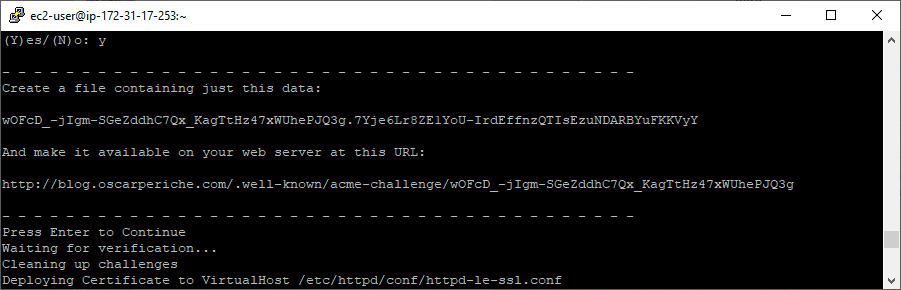
sudo certbot -i apache -a manual \--preferred-challenges http -d dominio.com
Nos pedirá crear una ruta accesible tipo: http://dominio.com/.well-known/acme-challenge/rTNamD0hzwCmhSHzzKNyqMx6-q3tSGP6WMknySMKtvU y nos dará un contenido tipo: rTNamD0hzwCmhSHzzKNyqMx6-q3tSGP6WMknySMKtvU.7Yje6Lr8ZE1YoU-IrdEffnzQTIsEzuNDARBYuFKKVyY para añadir al archivo rTNamD0hzwCmhSHzzKNyqMx6-q3tSGP6WMknySMKtvU
Renovación automática
Abrimos el archivo Cron
sudo EDITOR=nano crontab -e
Añadimos la línea que se ejecutará una vez por semana
0 12 * * 6 sudo certbot renew
Renovación manual
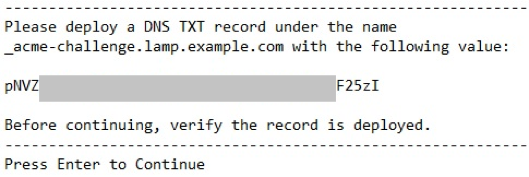
Es posible que la renovación automática nos de algún error y hasta que no nos llega el mail de Lets Encrypt que os avisa que quedan unos pocos días para caducar, no nos damos cuenta. Ejecutando el comando del cron (sudo certbot renew) nos lanza algún error tipo:
Cert is due for renewal, auto-renewing...Could not choose appropriate plugin: The manual plugin is not working; there may be problems with your existing configuration.The error was: PluginError('An authentication script must be provided with --manual-auth-hook when using the manual plugin non-interactively.',)Failed to renew certificate
Entonces es momento de probar la renovación manual
certbot renew --apache --preferred-challenge http
Tenemos varias opciones de renovación:
–apache Use the Apache plugin for authentication & installation
–standalone Run a standalone webserver for authentication
–nginx Use the Nginx plugin for authentication & installation
–webroot Place files in a server’s webroot folder for authentication
–manual Obtain certificates interactively, or using shell script hooks
Usando –apache como en el ejemplo anterior, me ha funcionado